The Pinterest WordPress theme
So, now you all have became familiar with the smooth and stylish site Pinterest. Maybe you publish and pins your pictures there and gets some referral traffic and sales to your site? Well that is good. But do you know why people are so amazingly amazed with pinterest? Why they spend so much time there and like the site so much? No? Well, it is at least partly because of the incredible nice look and feel of the website, with everything ordered nicely and in an easy to overlook way. Did you know that you can make your own site to look exactly like Pinterest and get the same great look? There is now a Pinterest WordPress theme avialable, and here is how to get it:
Covert PinPress – The Pinterest WordPress theme
Click here for getting the Covert Pinterest WordPress theme (by IM Wealth Builders). (link expired)
How does the Pinterest WordPress theme look? Well that is easy to answer, it looks like pinterest of course. But here is a screenshot of it if you want a preview:
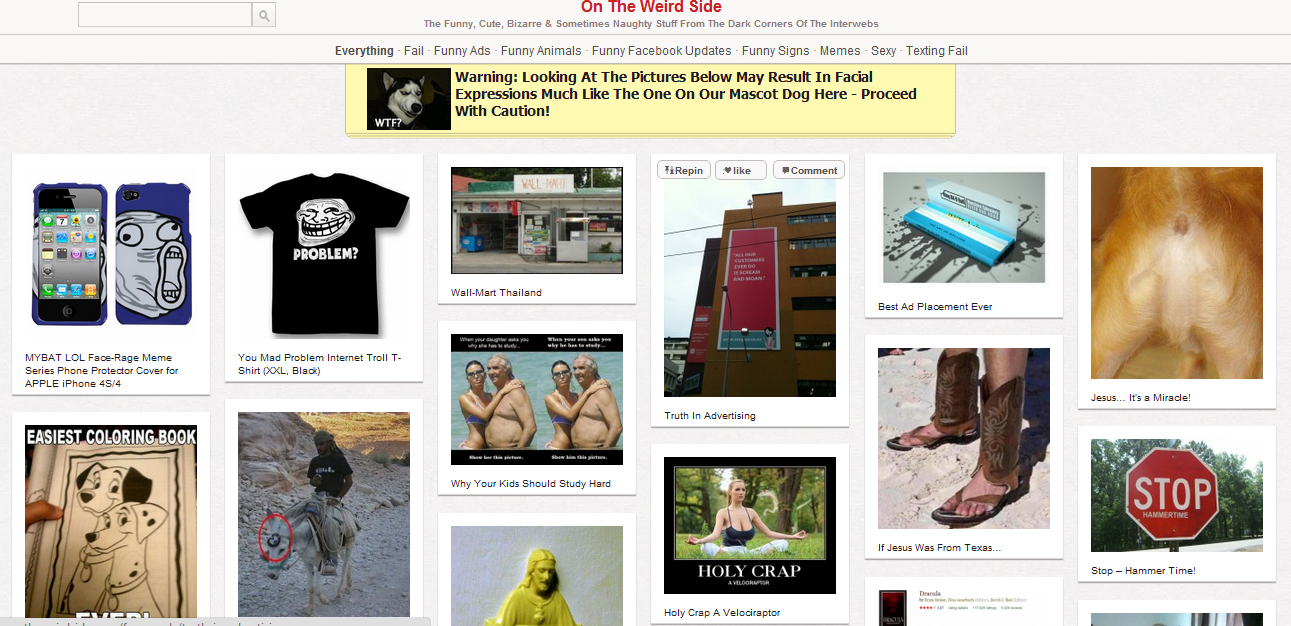
Why is the Pinterest WordPress theme a good template for your blog?
The makers of the theme says that they get a much higher “time on site” with the theme. Mostly because people are used to click around and find pictures for hours on the real Pinterest.
Your blog gets really easy-navigatable with this theme, and it has never been easier to get an overlook of everything that is on the blog.
This one is maybe a special one, but imagine how many percent of your visitors that will click on your ads if you place them as “pins” so that they look almost like common pins. This is nothing I have tested or even recommends, but maybe you want to.
The Pinterest WordPress theme does NOT allow you to make a Pinterest clone on your site!
That is true, the theme only shows your content in a pinterest-like-way, it does not make your site a Pinterest-copy where users can upload and pin their own images. Or, of course they can if you allow them to log in to your blog, but that is not the main purpose with the theme.
Download the theme here: Covert Pinpress theme (link expired)

Create an own Pinterest WordPress theme?
Another possibility is to make an own template that looks like Pinterest, if you do not want to pay for a ready-made theme. I have thought about that option too, and if this theme not does all the tricks I want, I might actually make one too. But this far, this theme has had everything I wanted from it.
